Customers – Changing Main Person of a Customer
A customer entity can have multiple related persons and other persons. For more about relationships between customers and persons, please check this article.
Main Person of Customer Versus Main Traveler of Reservation
Main Person – is the person who is automatically created for a customer entry when a new Customer is added. Any other person of the customer may be set as the main person. Only one main person may exist for the same customer.
Main Traveler – is the first person in the traveler list of the booking, regardless of whether the person is or is not the main person of the customer.
Changing the Main Person of a Customer
In Customer Details under the Persons section, all related persons can be viewed:
- Direct Related
- Other Persons
The main person can only be selected between the Direct Related persons. For “Other Persons”, the “Main Person” checkbox is disabled.
Definition of Terms
Customer – is any person who is the main traveler or a traveler in a deal.
Directly Related (Relatives) – is a person directly related to the customer, and when loading this customer in the deal, we display the list of these directly related persons.
Other Persons (Travelers) – is a person who is related to many customers. These persons are not shown when loading the customer in a deal.
Relationship Type – a dropdown list that defines the relationship between a person (both directly related and many related) and the customer.
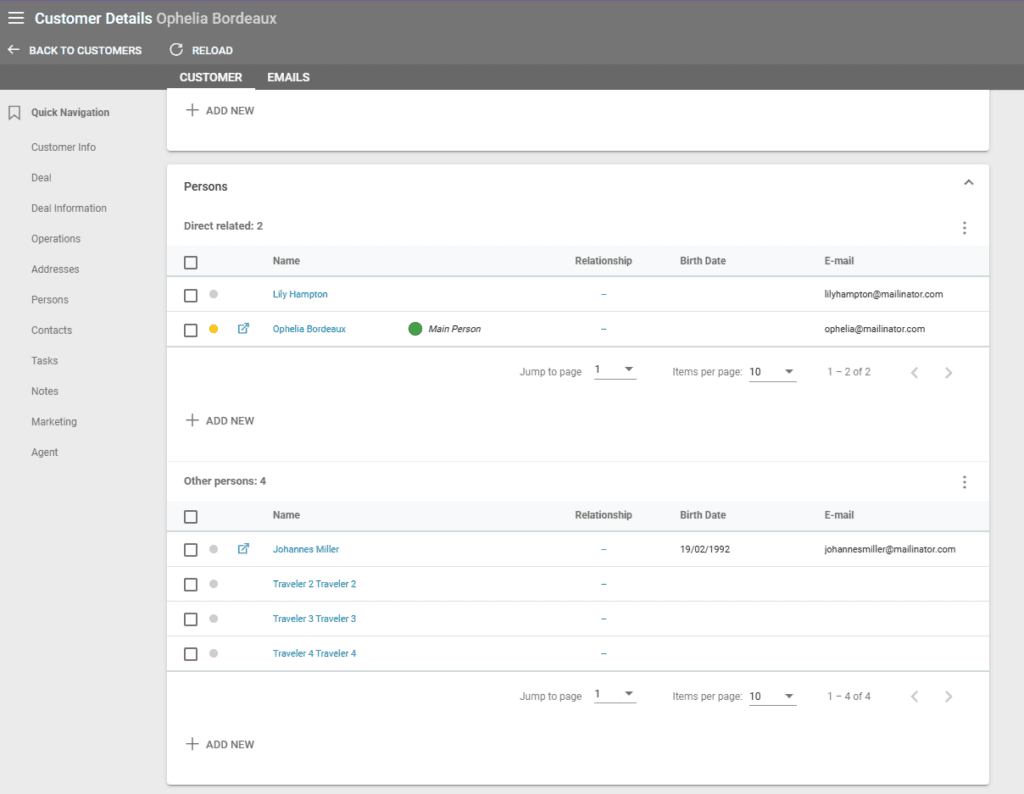
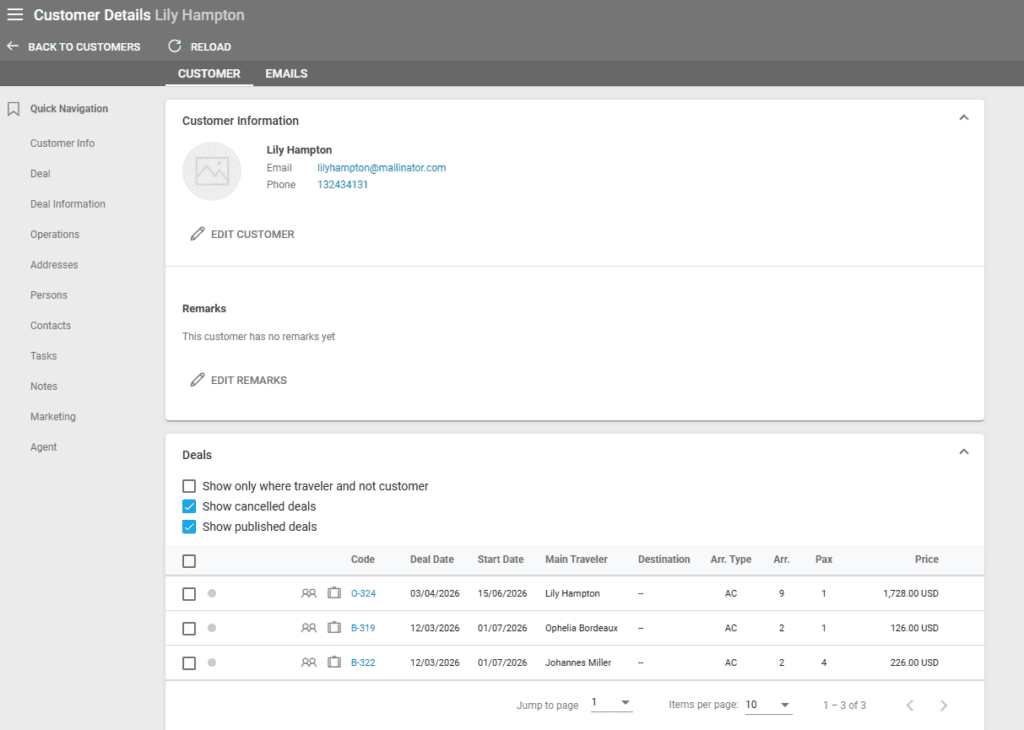
The Customer entry takes on the contact details of the Main Person set. For example, the customer in the screenshot below has “Ophelia Bordeaux” as the main person.
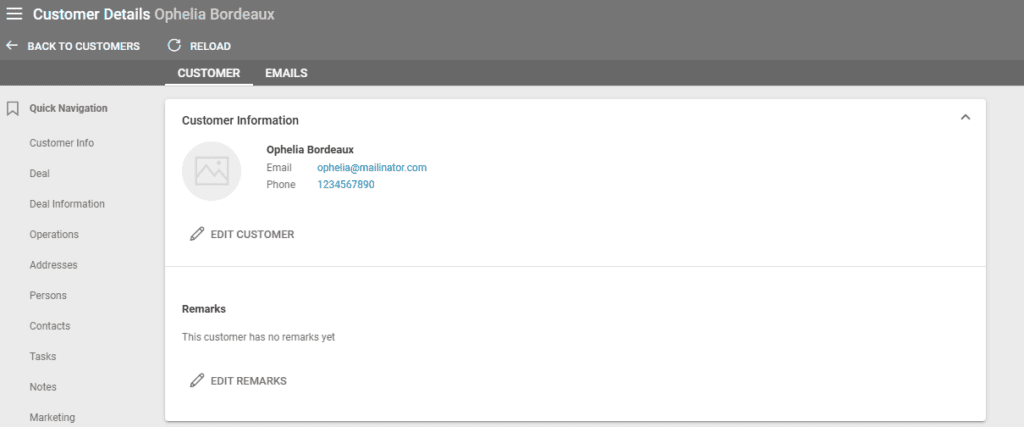
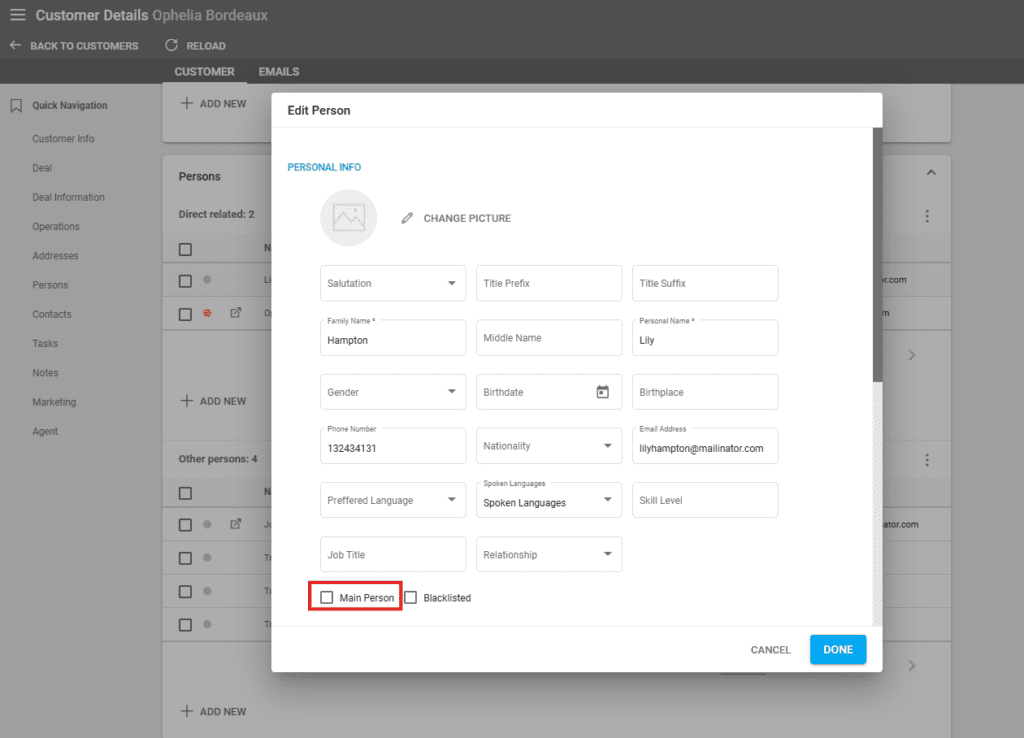
Changing Ophelia Bordeaux to Lily Hampton causes the details to change as well. To do so, click on the person that you wish to set as the Main Person and check the “Main Person” checkbox, then click on “Done” to save.
The system will reload the Customer details and display the new main person.
Moving a Person to Direct Related
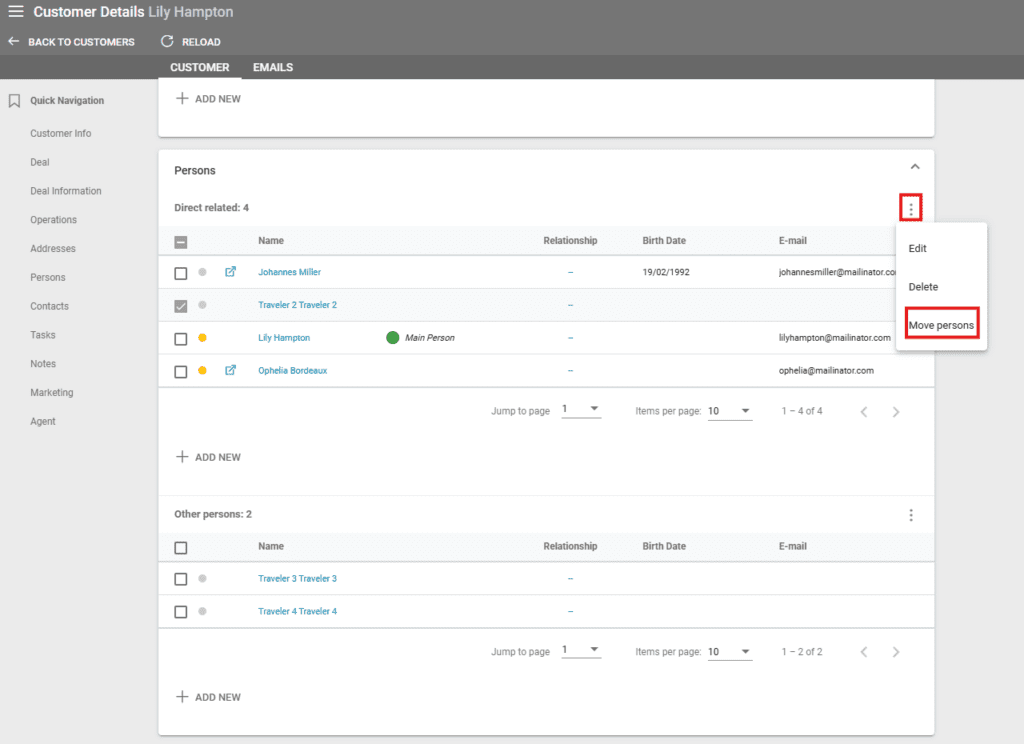
The main person can only be selected between the Direct Related persons. For “Other Persons”, the “Main Person” checkbox is disabled. To move one or more persons to the Direct Related section, please select them using the checkboxes, click on the three dots in the upper corner of the table, and select “Move to direct”.
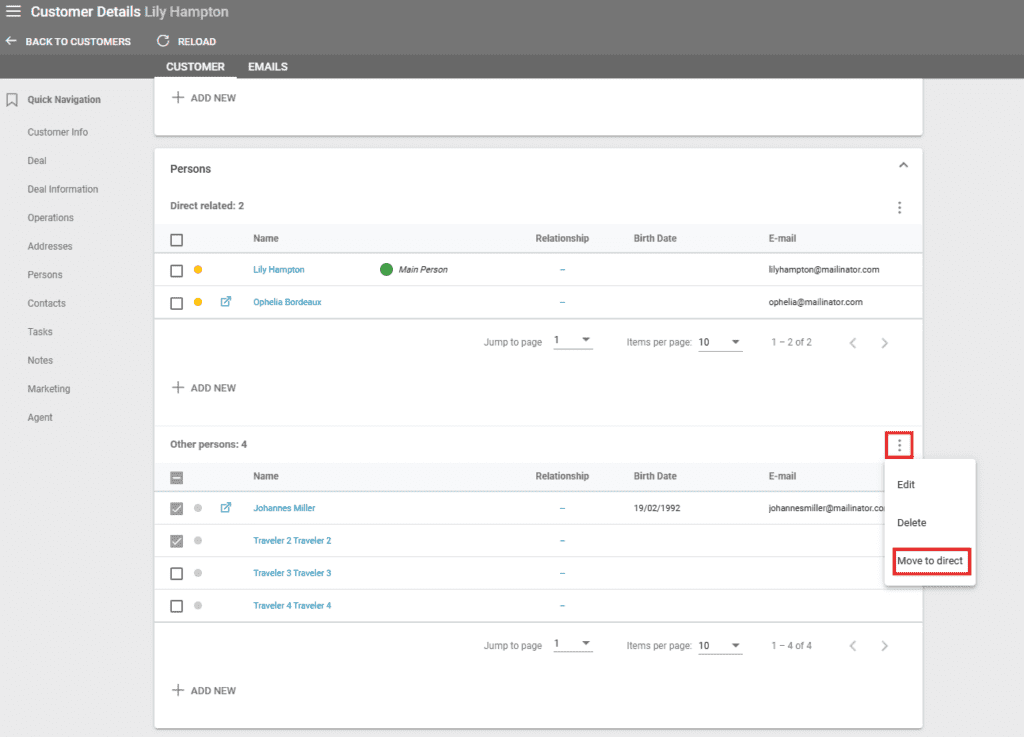
A person can be moved to the “Other Persons” section as well using a similar method in the “Direct Related” table.