
Deals – Change Start Date and End Date of a Deal
Your Deal’s Arrangements determine the deal’s Start and End date.
- Start Date: the Arrangement with the earliest starting date
- End Date: the Arrangement with the latest end date
There are two ways to change a deal’s start date and end date:
- Changing the start date manually in Deal Details / Deal Information by using the calendar date picker
- Changing the Arrangements’ start and end date
Changing the Start Date Manually in Deal Information
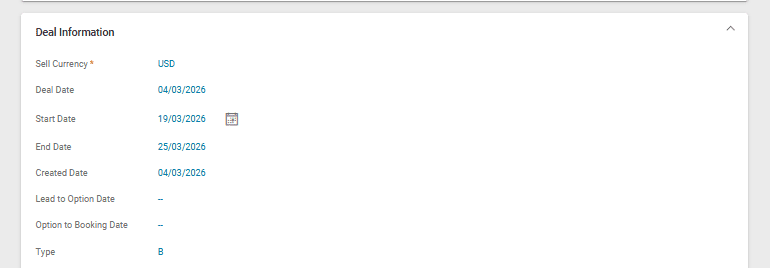
If you wish to change a Deal’s Start Date all at once, navigate to the Deal Information section in Deal Details. Click on the calendar icon and select the new starting date:
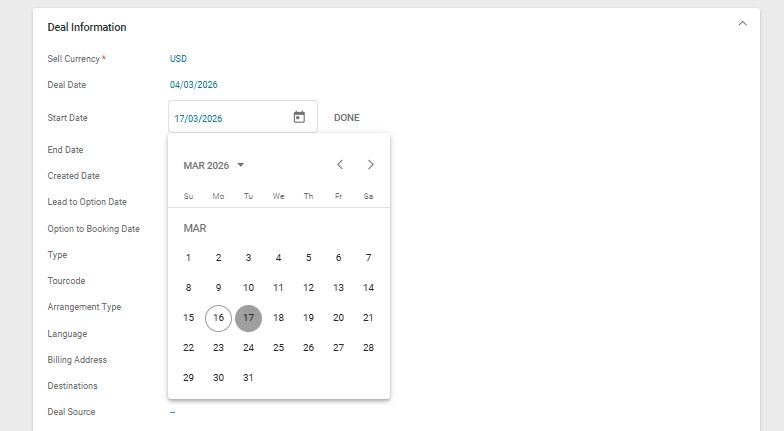
Then click on “Done”. Two messages will appear on screen to confirm the change and review season prices if needed.
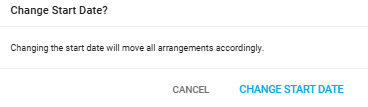
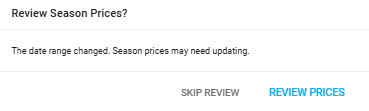
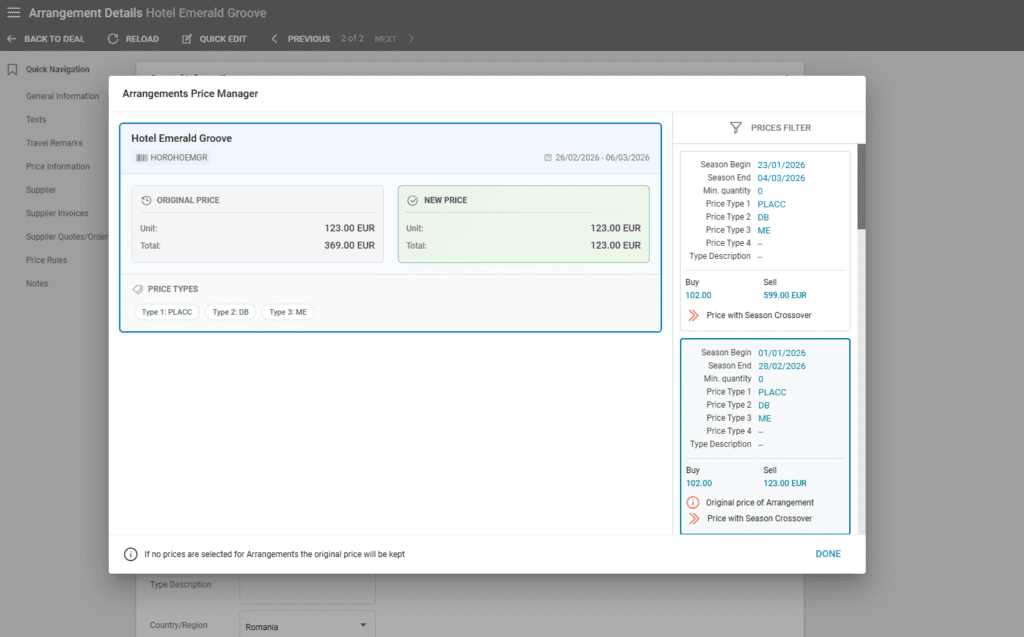
When operators update a Deal’s Start Date from Deal Details, a window called “Arrangement Price Manager” is displayed to review the Arrangement price changes. This window allows the selection of the correct price for each of the Deal’s arrangements. Clicking on an Arrangement shows the available season prices along with a distinction for the original price. To select the rate, click on the respective price on the right side.
An icon and text is displayed in case of season crossover prices. A similar mention is displayed on the original price of the Arrangement as well.
Changing the Arrangement’s Start and End Dates
Another option is changing your arrangement’s dates either by booking new arrangements or by editing those already added to the deal. A deal’s start date is reflected by the earliest starting date of the arrangements, and the end date by the latest ending date of the arrangements.
To edit an Arrangement’s dates, navigate to arrangement details and go through each arrangement, or use the quick edit functionality.
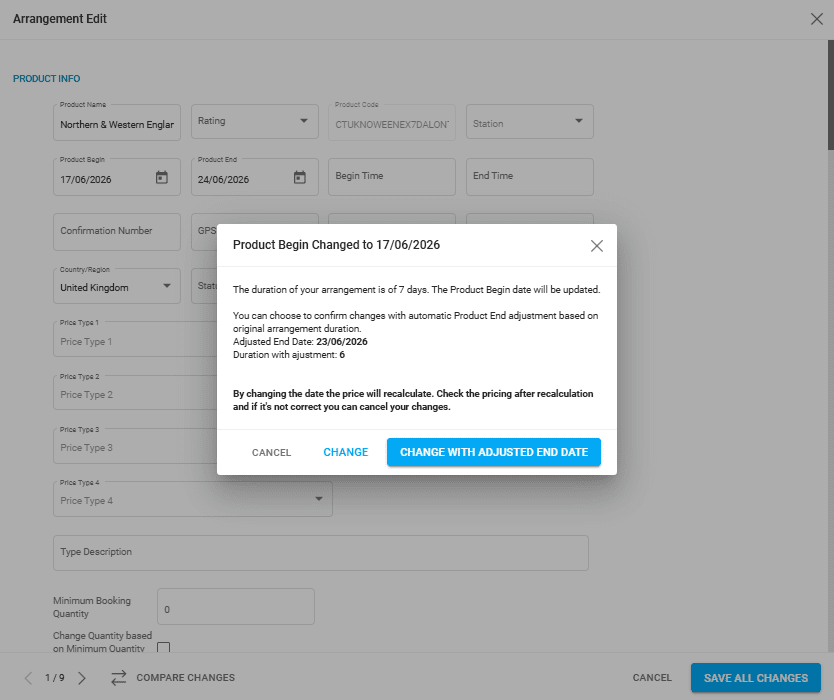
When changing a Product Begin date, a confirmation window appears in which you can adjust the Product End date as well:
- Clicking “Change” updates only the Product Begin date and maintains the original Product End date
- Clicking “Change with Adjusted End Date” changes the Product End date as well to maintain the original duration
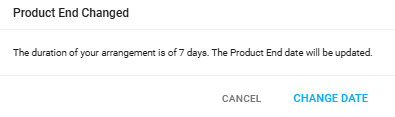
When changing a Product End date, a confirmation window appears:
After any changes to a Product Beginning or End date, prices can be reviewed in case of season crossover. This step can be skipped.
