Deals – Modifying Arrangements
Arrangement Repositioning in Deals
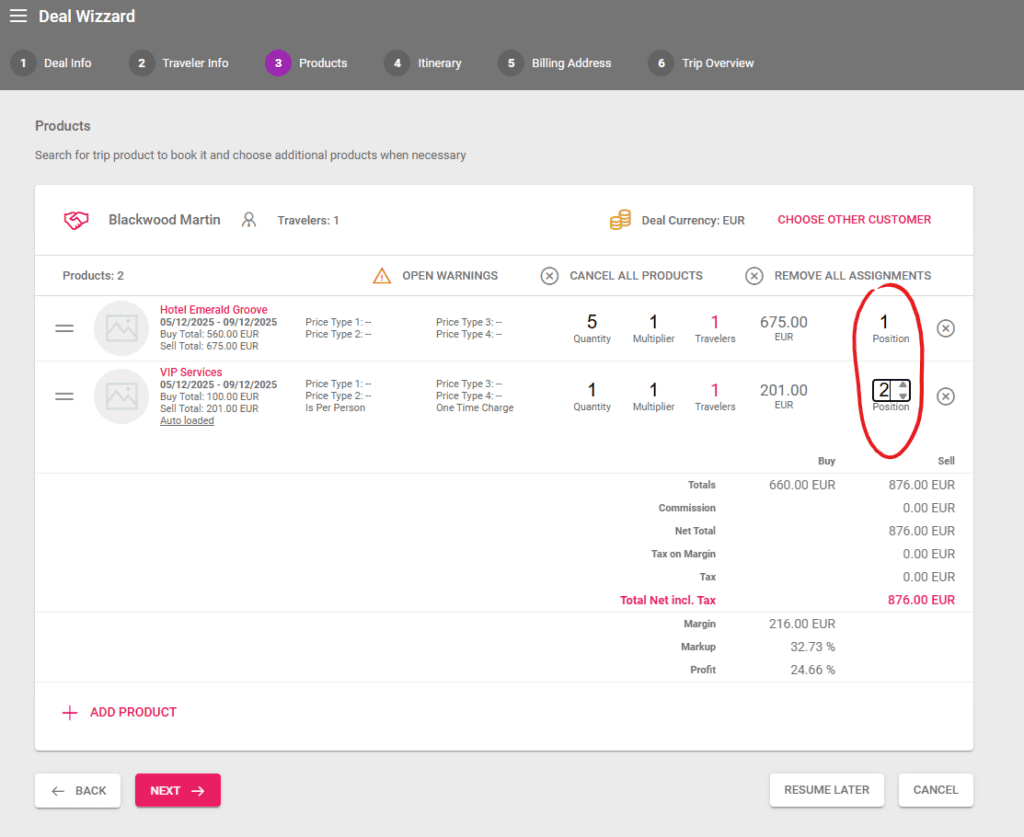
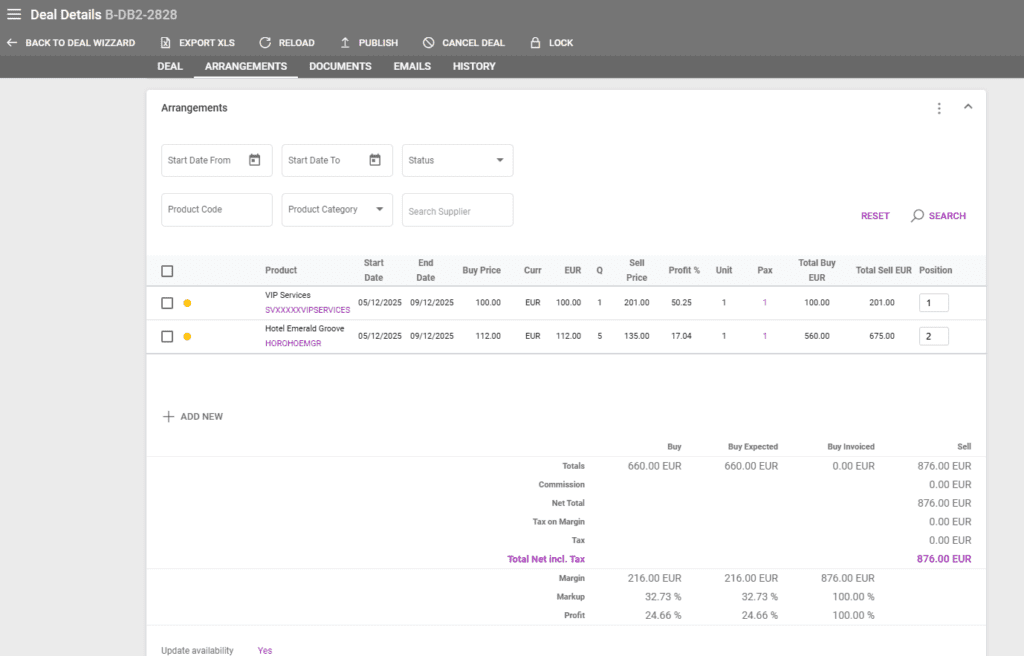
The position column is used to reposition arrangements during the booking process and in a Deal’s Arrangements tab. The position can be edited by clicking on it and using the arrows or typing a number in the box. The Arrangements can also be repositioned by drag and drop and the system will automatically update the corresponding numbers.
Recalculation when Changing Arrangement Start and End Dates
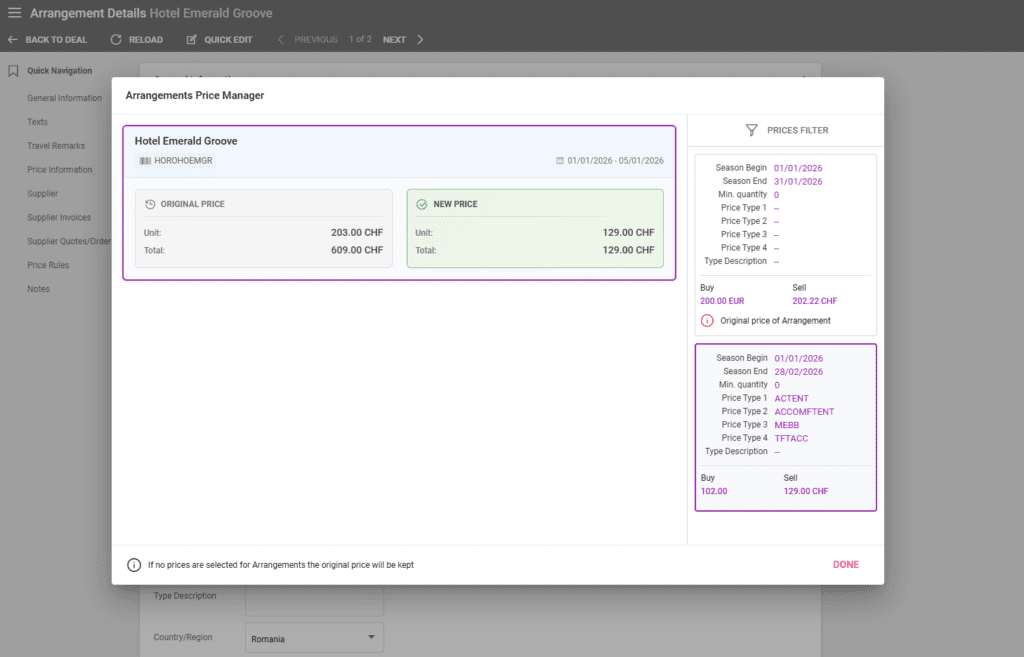
If operators modify the dates of an Arrangement in an existing deal, a couple of confirmation messages are displayed in case the Arrangement’s prices need to be changed.
In case of a set Duration, the system maintains the duration amount when recalculating dates. Similarly to editing a Deal’s start date, there is a dedicated season crossover window in case the new dates exceed the original price’s valid dates.
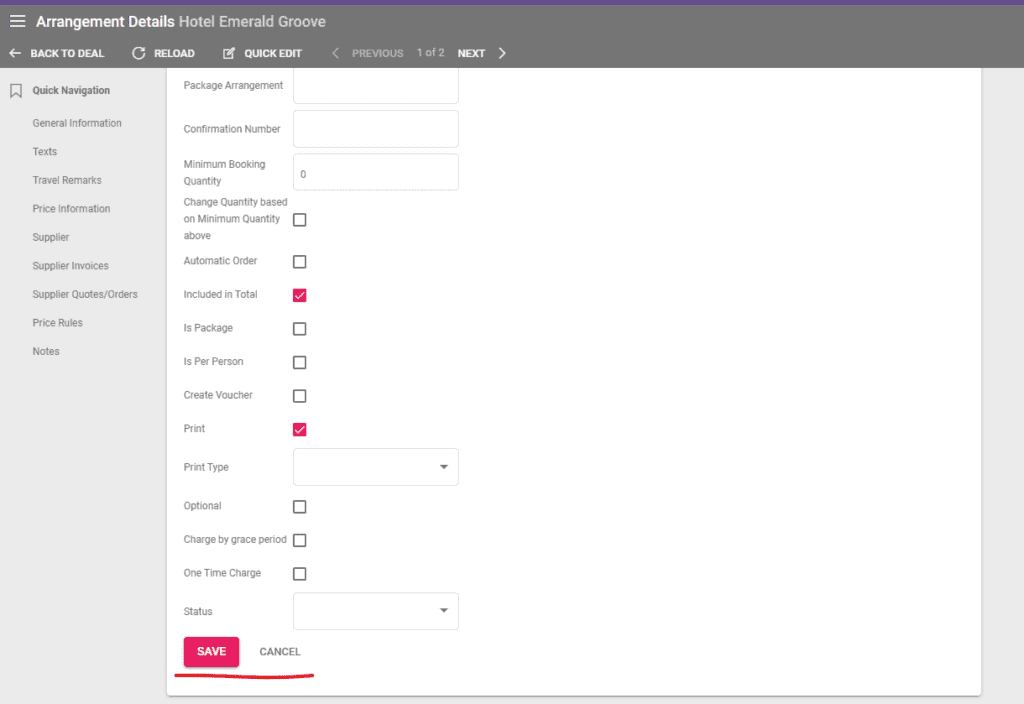
After selecting the price, the system recalculates the Arrangement prices that can be checked in the Price Information section. Operators have to click on the Save button for the changes to be saved.
Editing the Arrangement price to “One time charge” also triggers a confirmation window for the price recalculation.