
Products – Add Promo Prices
Promo Prices is a dedicated section that can be found in Price Details.
The following promo prices can be added depending on:
- The travel begin and end date
- The booking date of the arrangements
- The travel date
- The starting days of the week
- The begin and end days of the week
The fields change according to the Type of promo price selected.
In the booking process, prices that have promo price applied will be displayed in a different color and have a price tag icon next to them. Upon hovering with your mouse, a tooltip will appear with the text “Promo Price”.
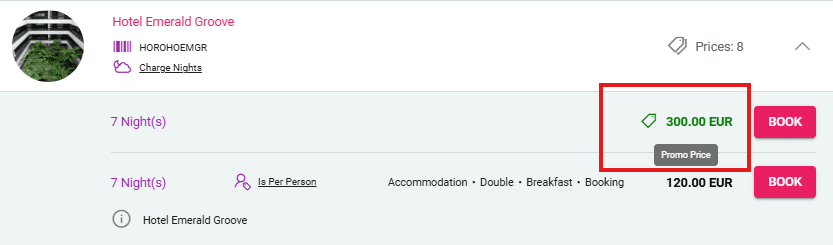
Default Promo Price
This type of promo price is applied if the arrangement is booked between a specific time interval.
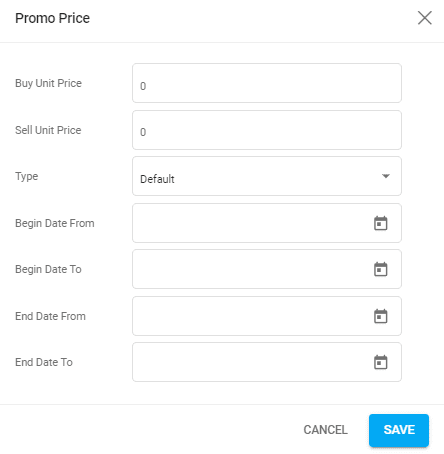
Fields available:
- Buy Unit Price – the buy price that should be applied instead
- Sell Unit Price – the sell price that should be applied instead
- Type – to change the promo price type to a different one
- Begin Date From & To – the date range in which the Arrangement’s begin date should be for the promo price to be applied
- End Date From & To – – the date range in which the Arrangement’s end date should be for the promo price to be applied
Example
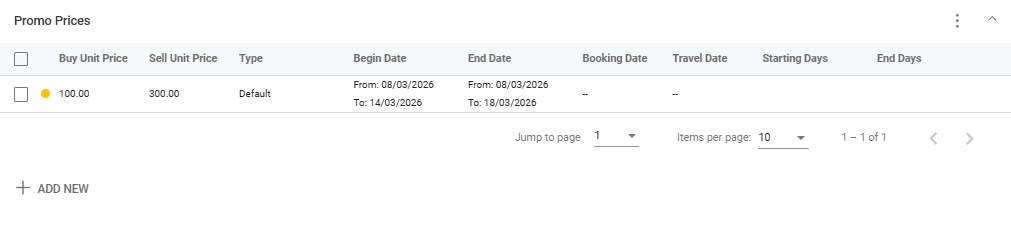
For a price with the following promo price available:
- Buy Price = 100
- Sell Price = 300
- Begin Date: From 8 March to 14 March 2026
- End Date: From 8 March to 18 March 2026
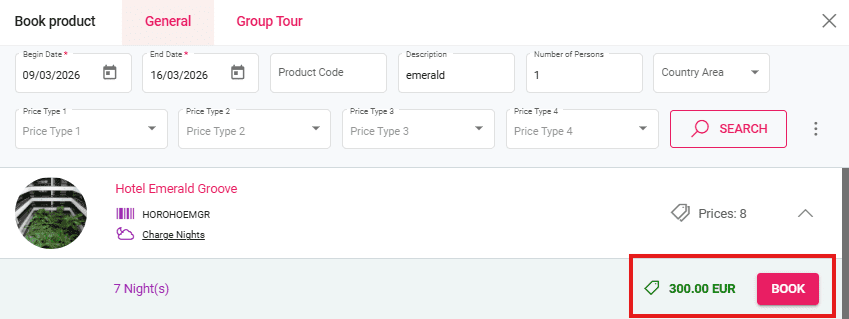
If the arrangement is booked from 9 March to 16 March 2026 then the promo price is applied.
Booking Date Promo Price
This type of promo price is applied if the deal creation date is before this selected date.
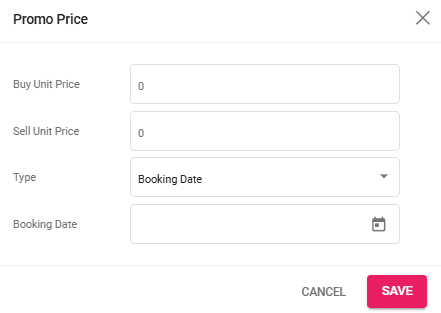
Fields available:
- Buy Unit Price – the buy price that should be applied instead
- Sell Unit Price – the sell price that should be applied instead
- Type – to change the promo price type to a different one
- Booking Date – if the deal is created before this specific date, the promo price is applied
Travel Date Promo Price
This type of promo price is applied if the deal’s travel date is before a selected date.
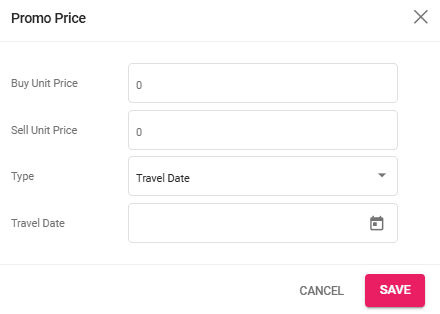
Fields available:
- Buy Unit Price – the buy price that should be applied instead
- Sell Unit Price – the sell price that should be applied instead
- Type – to change the promo price type to a different one
- Travel Date – if the Travel Date is before this selected date, the promo price is applied
Starting Days Promo Price
This type of promo price is applied if the deal’s start date is on a specific day of the week.
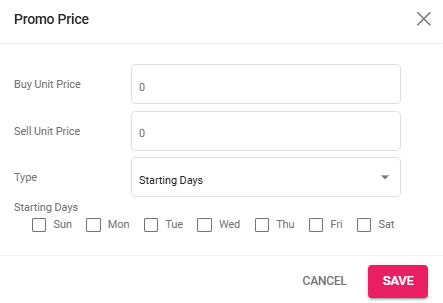
Fields available:
- Buy Unit Price – the buy price that should be applied instead
- Sell Unit Price – the sell price that should be applied instead
- Type – to change the promo price type to a different one
- Starting Days – the days of the week that the deal has to start on for the promo price to be applied
Begin and End Days Promo Price
This type of promo price is applied if the arrangement’s begin and end day are on selected days of the week.
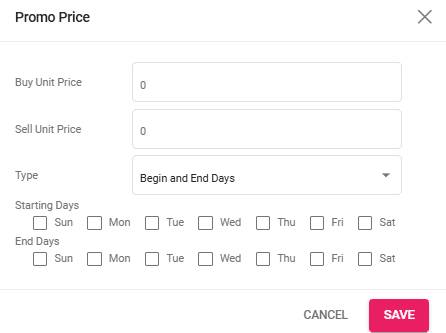
Fields available:
- Buy Unit Price – the buy price that should be applied instead
- Sell Unit Price – the sell price that should be applied instead
- Type – to change the promo price type to a different one
- Begin & End Days – the days of the week that the Arrangement has to begin and end on for the promo price to be applied
