Products – Adding Product Characteristics
Product Characteristics can be set on the Product level to describe products. These may be displayed on websites as well.
Creating Product Characteristics
To add, edit or delete product characteristics, please navigate to Settings / Choice Lists and select the Product_Characteristics list.
Product Characteristics are displayed based on the Product’s Category and the option’s code.
Adding Options and Nodes
For example, we will be adding product characteristics for Hotel products:
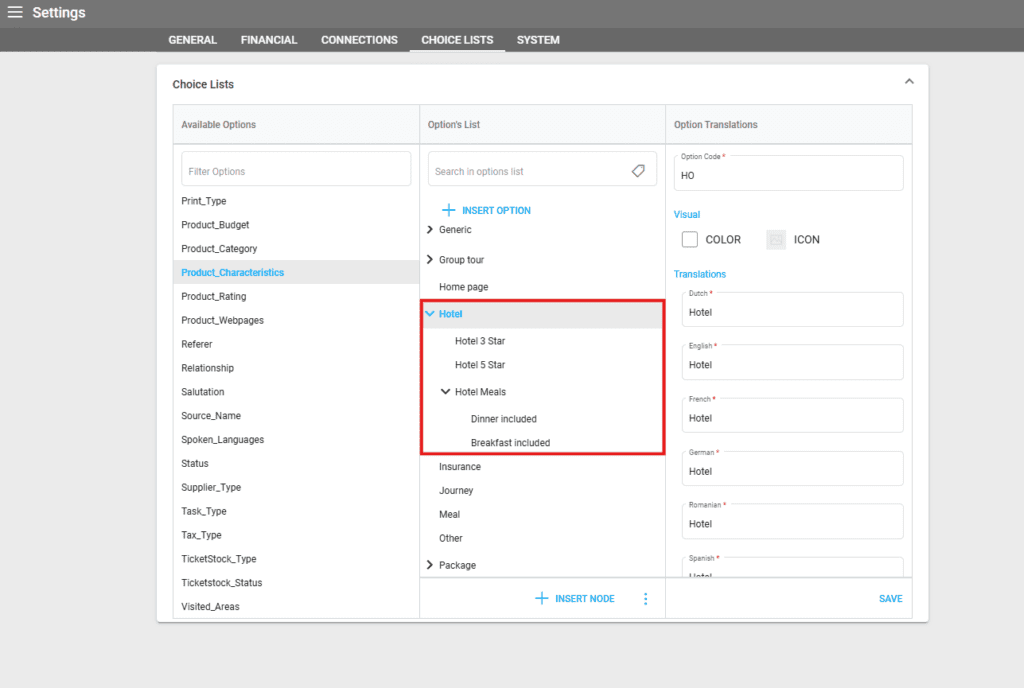
First, we add an option with name “Hotel” and code “HO” (matching Hotel Type Products)
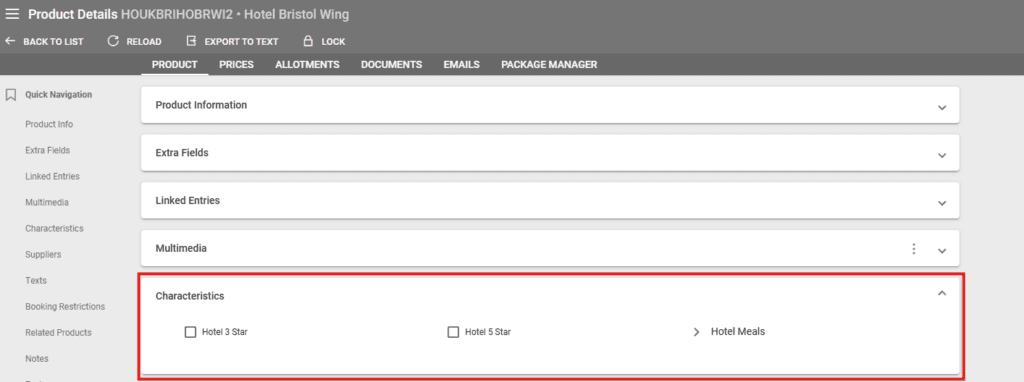
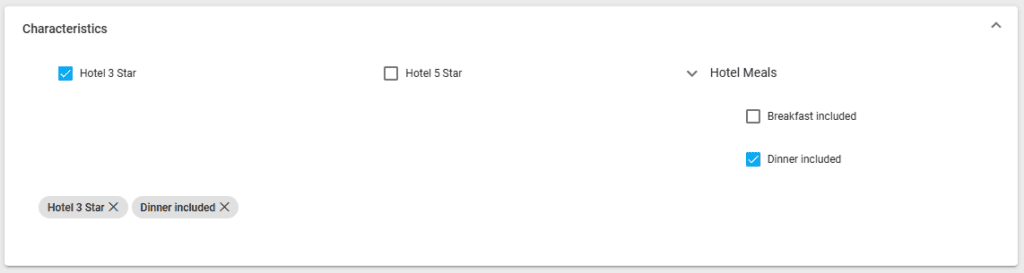
- Under this option, nodes can be inserted to add the characteristics: Hotel 3 Star, Hotel 5 Star, and Hotel Meals that has “Dinner included” and “Breakfast included” nested under.
- All nodes added under this option will be displayed in the product characteristics section for products that match that category.
- To add an option on the root level, click on “Insert Option”.
- To add an option under an existing one, click it first then click “Insert Node”.
Editing Options
Existing options can be edited by selecting them and modifying their code, color, icon and translations. Codes have to be unique across the options within the list.
Options can also be:
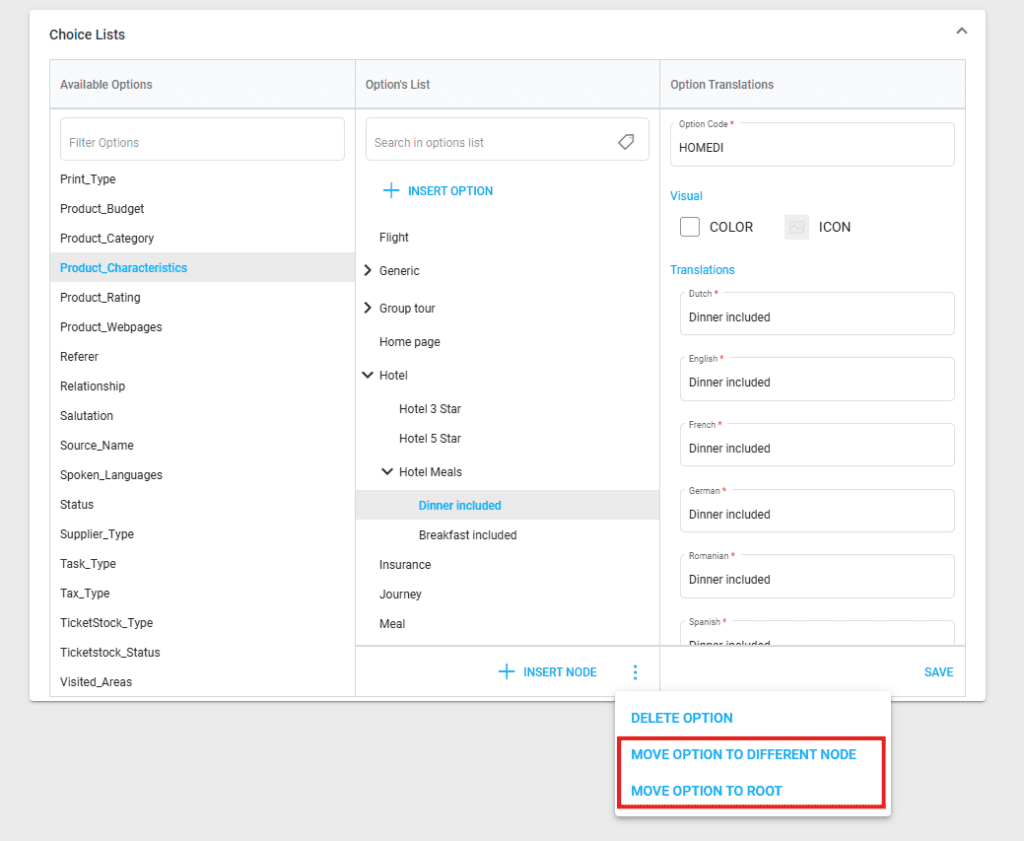
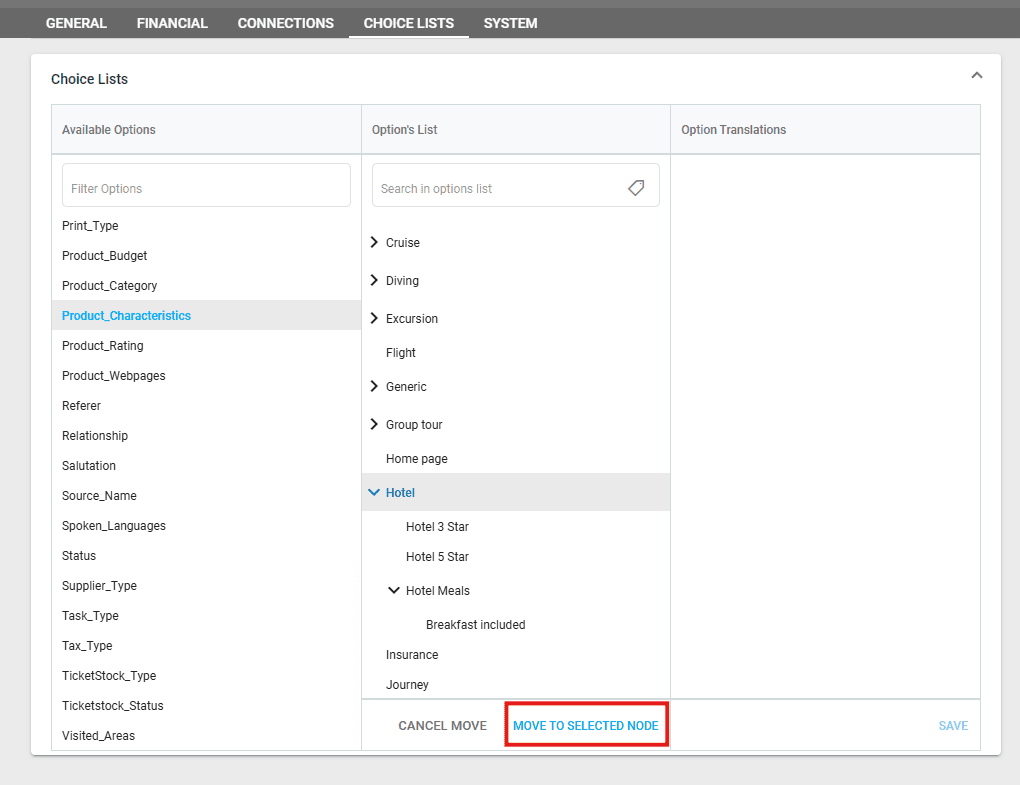
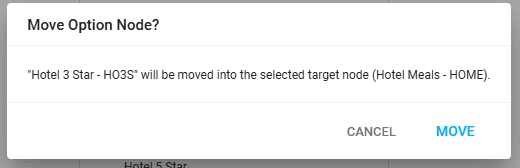
- Moved to a different node – after which the respective node can be selected; a confirmation window is displayed with the option that will be moved and the selected node
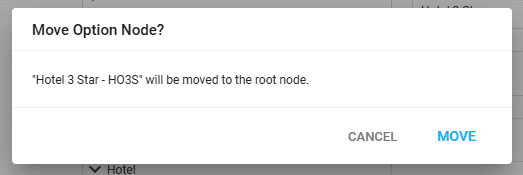
- Moved to the root – a confirmation window is displayed with the selected option before moving it to the root
Deleting Options
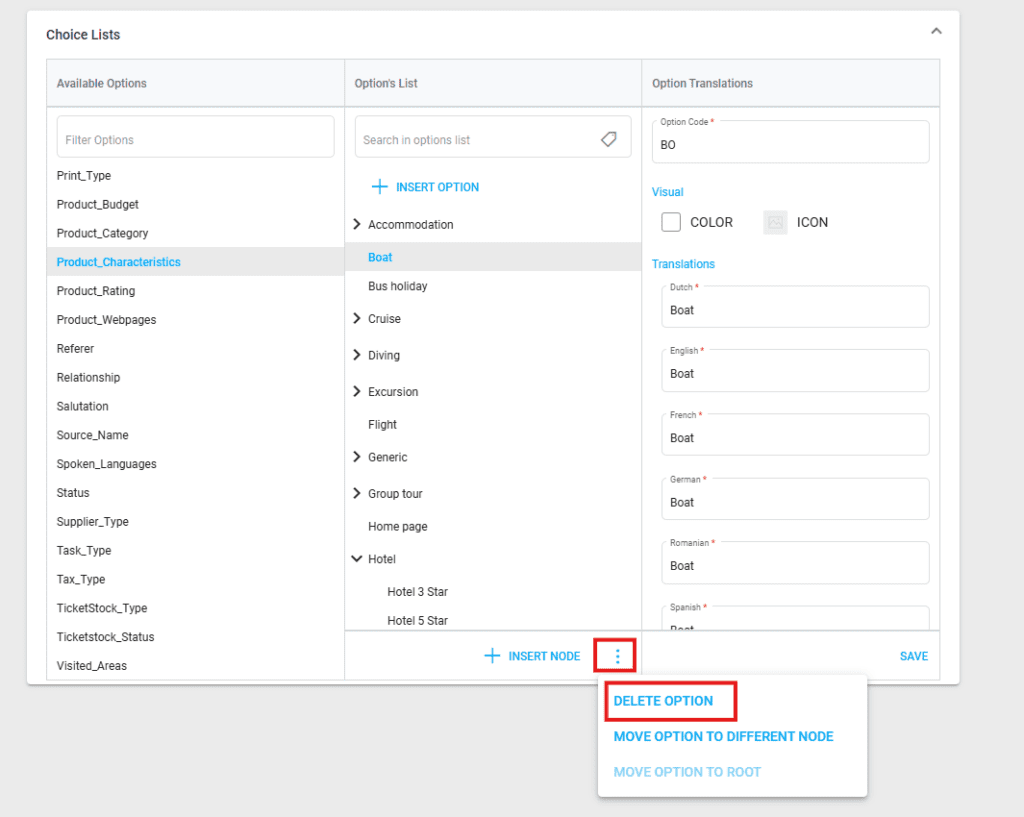
Options can be deleted by selecting them, then clicking on the three dots next to “Insert Node”. Please note that deleting an option with nodes under it will delete the nodes as well.
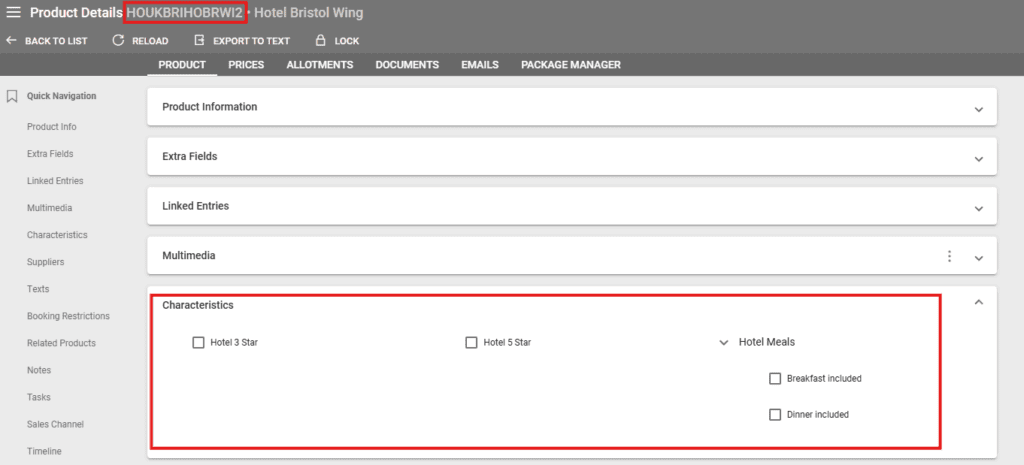
Selecting Product Characteristics in Product Details
Characteristics can be selected by clicking on the respective checkbox. After saving, the characteristics are displayed at the bottom of the section. Clicking on the X inside a characteristic will remove it from the product.
Batch Editing Product Characteristics
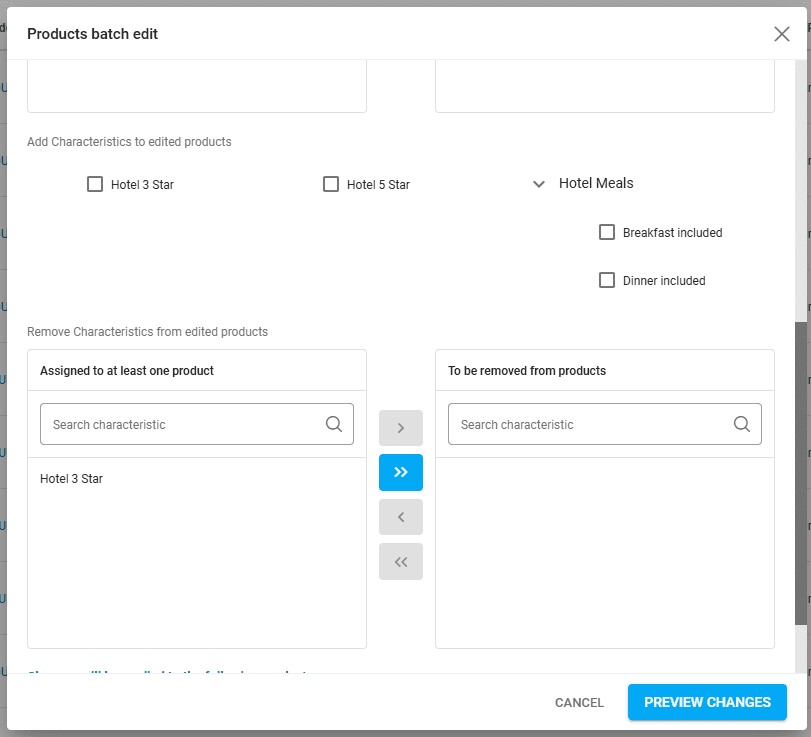
In the Products Listing, products can be batch edited if the chosen products are from the same category. First, select one or more products, then click on the pencil icon and select “Batch Edit”. Here, characteristics can be:
- Assigned from the category list
- Removed in batch