Help Center
Products – Duplicate Prices to The Same Product or A Different One
One or multiple product prices can be duplicated either to the same product or a different one.
Product Prices can be duplicated from:
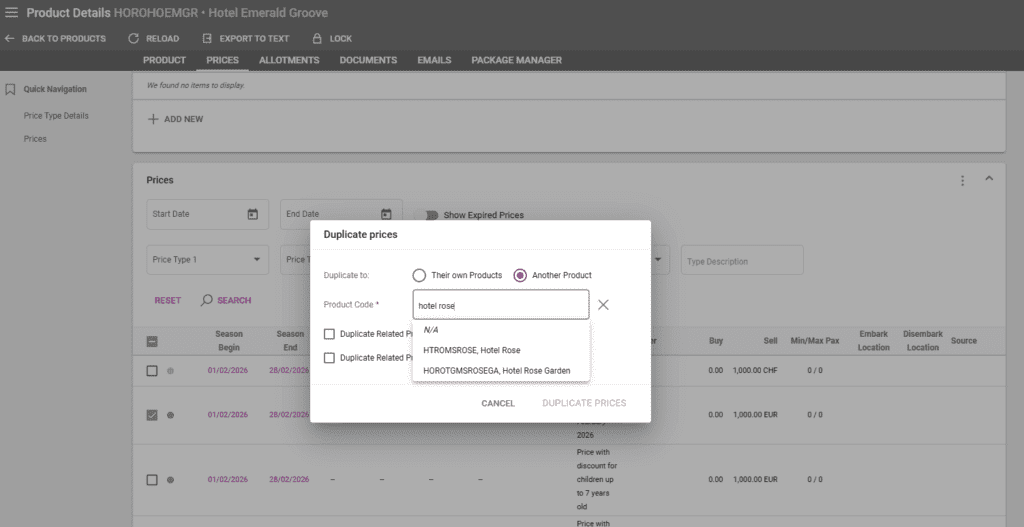
- Product Details / Prices – select one or multiple prices, click the three dots in the upper right corner, and select “Duplicate”
- Prices Listing – use the advanced search filters if needed, select the prices to be duplicated, click on the pencil button and select “Duplicate”
The Duplicate prices window has the following options:
- A checkbox for duplicate related promo prices
- Duplicate to – either to the same products or a different one. “Their own products” will duplicate the prices to each price’s respective product
- Product code – displayed only if “Another product” is selected above. Operators can search by product codes or product names
- A checkbox for duplicate related price rules