Products – Package Products and Supplements with Dynamic Dates
Victoury allows operators to configure packages without being tied to a fixed “Day of Tour” as the starting date. This provides greater flexibility during the booking process and enables operators to manually adjust dates and durations as needed.
This article explains how dynamic dates work, how supplement handling is managed, and what system warnings to expect.
Setting Up Packages with Dynamic Dates
Packages can be configured so that they are not restricted to a predefined tour day as their start date. This allows operators to adjust timing directly during the booking process.
How It Works
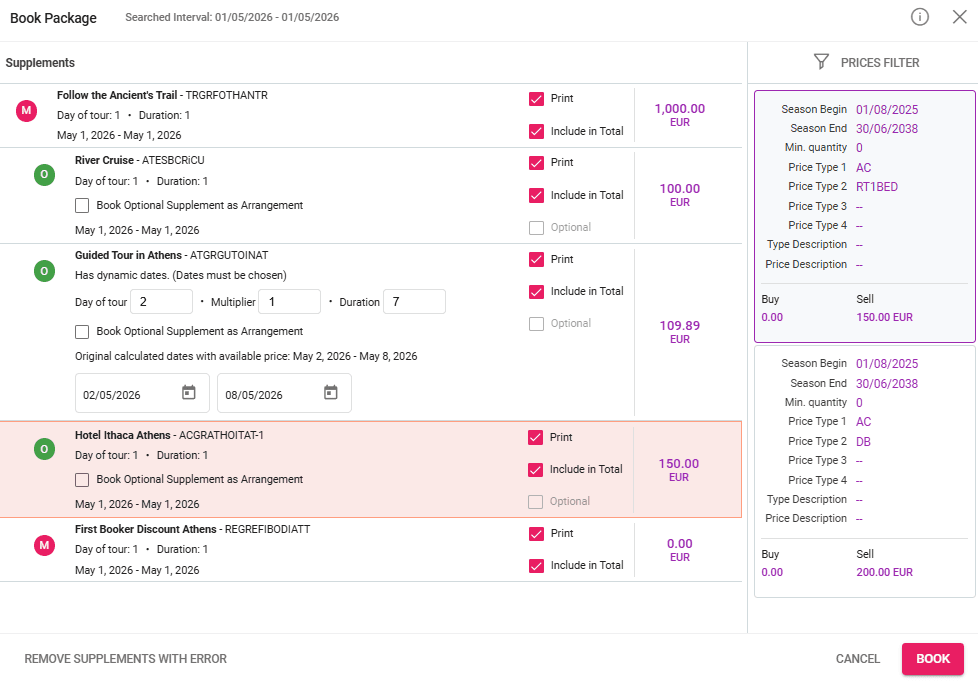
- The operator can manually change the dates during booking.
- The duration can be adjusted using the Duration input field.
- The package is no longer locked to a fixed “Day of Tour” start.
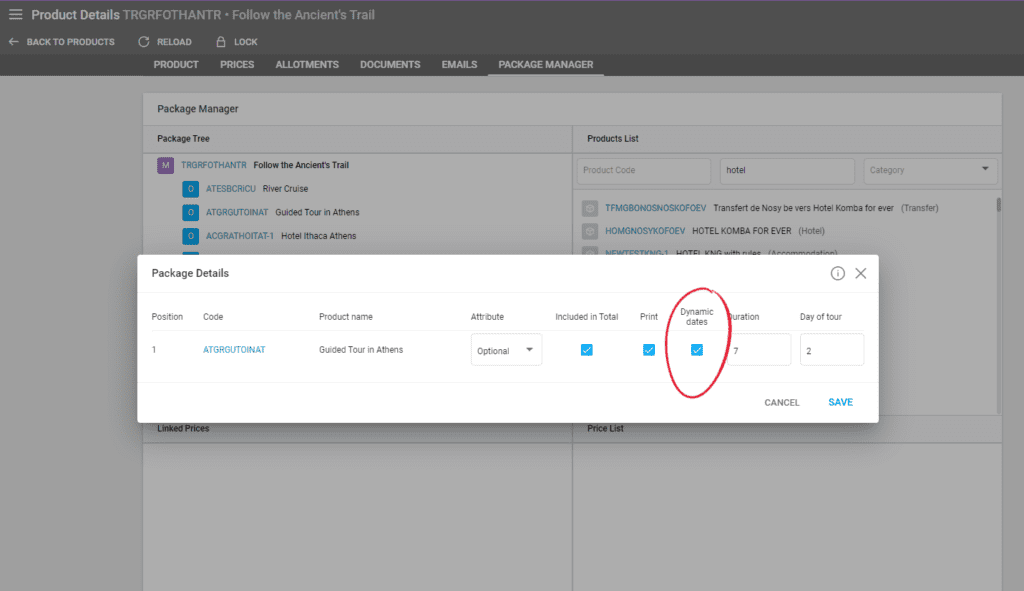
To add dynamic dates, open the supplement’s edit window and check the “Dynamic Dates” checkbox. You can now input any duration for the supplement and the tour day on which it will start. Remember that you can change these values in the booking process manually.