Accounting For Your Deals
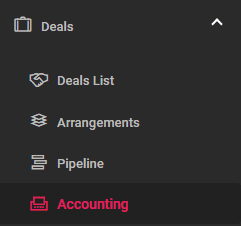
Accounting is accessible from the left main menu under “Deals/Accounting.”
Entries created upon making a deal
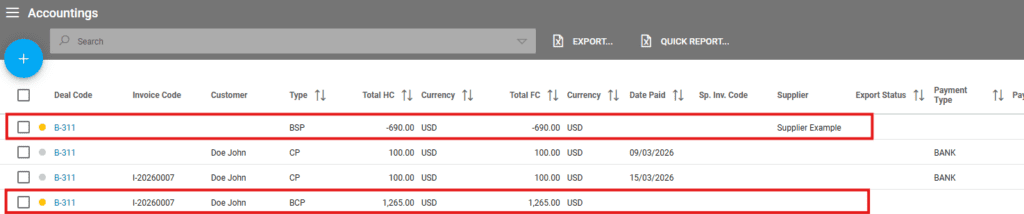
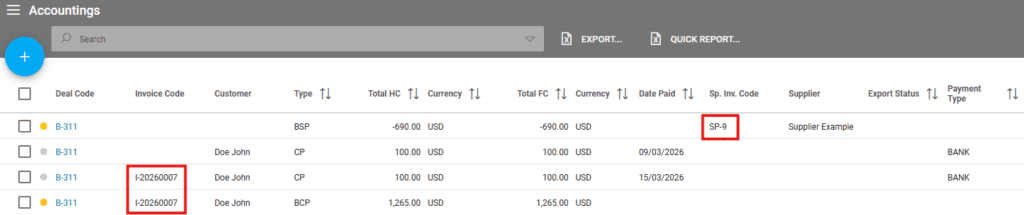
When a deal is created, two entries are recorded in the “Deals/Accounting” section: BCP and BSP.
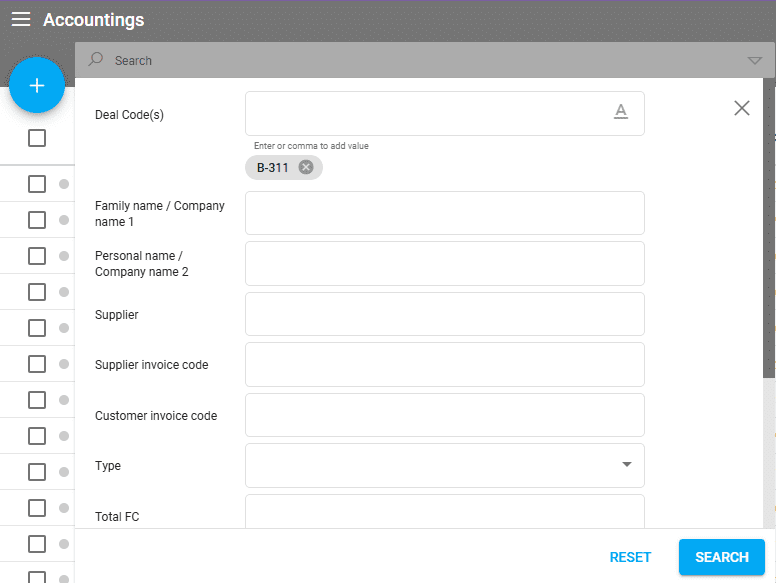
To filter all accounting entries related to a deal, use the available search options. In the example below, I used a simple search by the code of the deal 331:
BCP – the amount to be paid by the customer
BSP – the amount to pay to the product supplier
Customer and Supplier Invoices
If customer or supplier invoices are issued, the codes of the invoices will be displayed in Accounting.
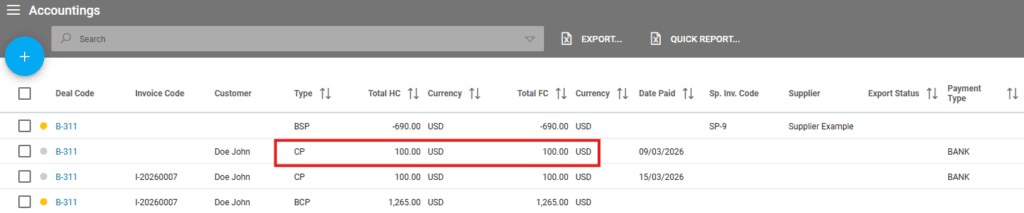
When receiving a payment from the customer under “Operations/Customer Payments,” Accounting is updated. I have received a payment of 1000 EUR, which is a partial payment. The entry is visible in Accounting with a CP type:
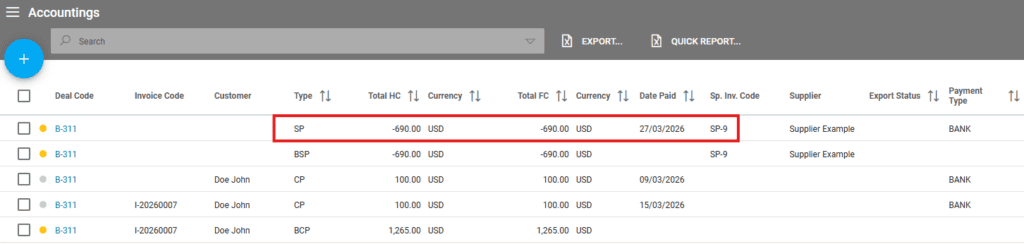
When registering a payment to the supplier under “Operations/Supplier Payments,” Accounting is updated. I have registered a payment of 500 EUR, which is a partial payment. The entry is visible in Accounting with a SP type:
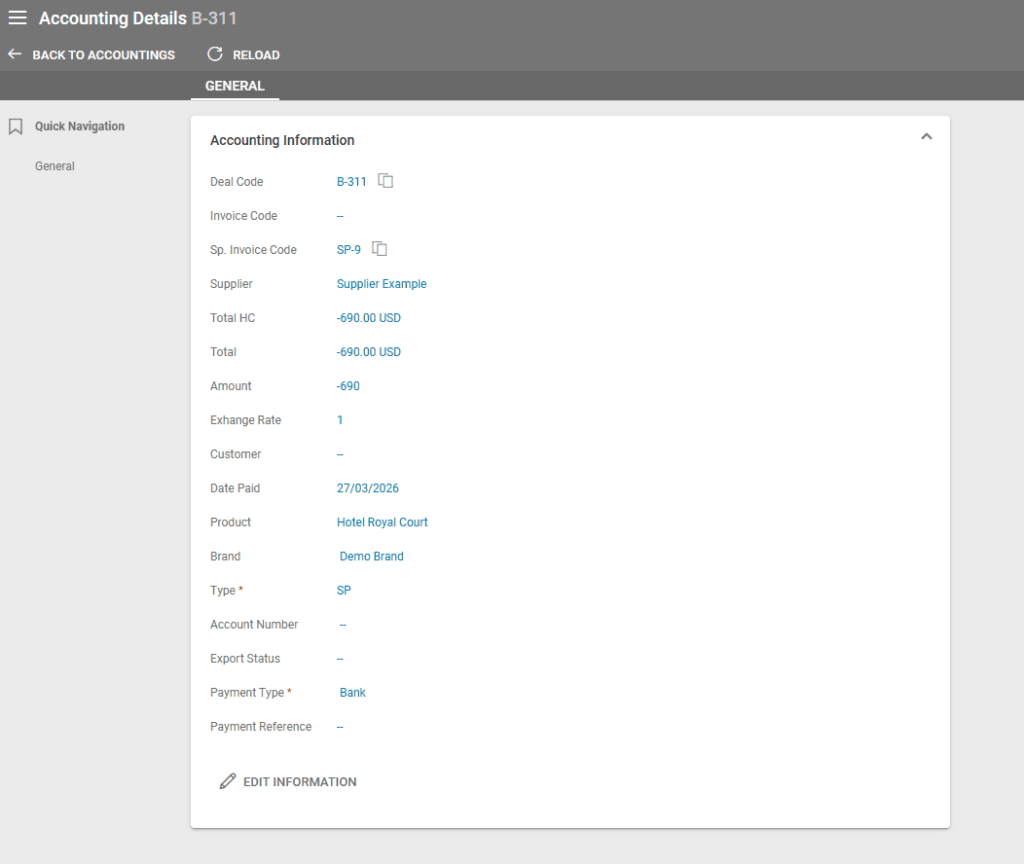
Editing Accounting Entries
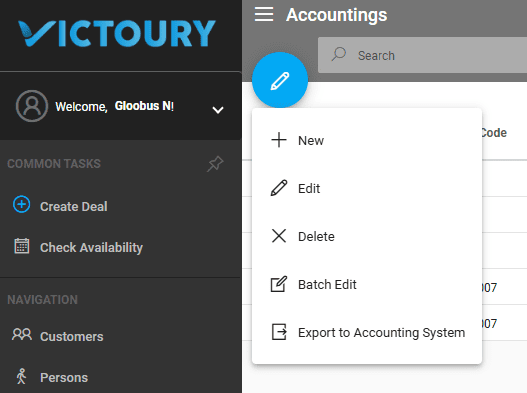
All Accounting entries can be manually edited using the Edit option or clicking on the Deal Code for the respective entry row. This will open the Accounting Details view. Click on the “Edit Information” button to enter the editing mode.
Adding New Accounting Entries
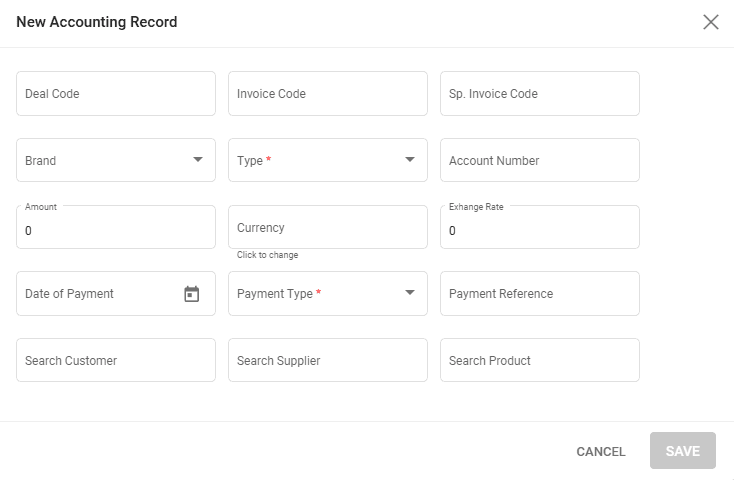
A new Accounting entry can be manually added using the “+ New” option available.
An accounting record has several fields:
- Deal Code – the deal that this entry should be linked to
- Invoice Code – the customer invoice code if any
- Sp. Invoice Code – the supplier invoice code if any
- Brand – the profit center this entry is linked to
- Type – the accounting entry type (CP / SP / BCP / BSP / ACC)
- Account Number
- Amount
- Currency – the currency for the amount field
- Exchange Rate – automatically filled out with the selected currency’s exchange rate displayed in the drop down box
- Date of Payment – calendar selector for the date of payment
- Payment Type – choice list editable in Settings / Choice Lists
- Payment Reference
- Search Customer – a search box for an existing customer in the system that searches related entries once text is written in the field. The selected value can be deleted by clicking on the X in the field
- Search Supplier – a search box for an existing supplier in the system that searches related entries once text is written in the field. The selected value can be deleted by clicking on the X in the field
- Search Product – a search box for an existing product in the system that searches related entries once text is written in the field. The selected value can be deleted by clicking on the X in the field