Help Center
Customers – Moving a Customer Payment to Another Deal
Move Customer Payments to Other Deals
In some cases, customers might have more than one deal and make a payment for everything at once. Operators can use the feature “Move customer payment” that is available in the Deals Listing by:
- Selecting the checkbox of the deal the payment has been registered for
- Clicking the pencil icon
- Selecting “Move Payment to other Booking”
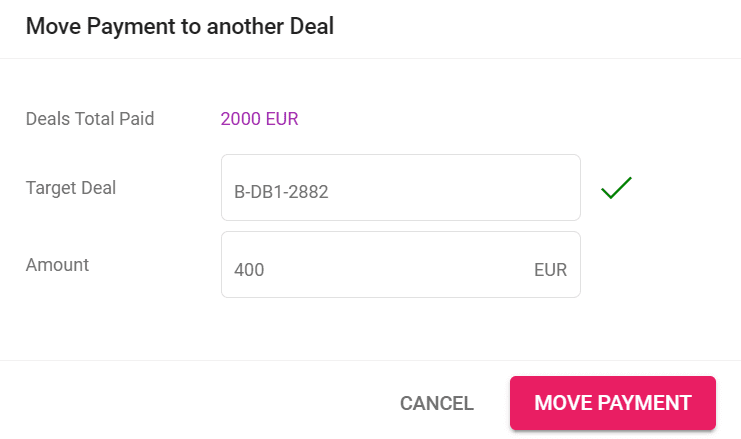
- Filling out the details regarding the target deal and amount to be moved
Important mention: both of the deals have to be in the same currency for the payment move to be available.
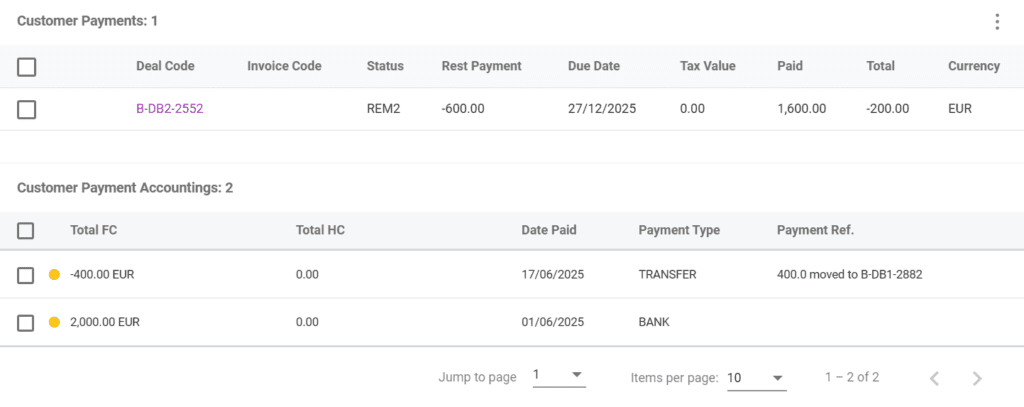
The Target Deal field has a search function integrated in it and will update as you type. After moving the payment, the two respective deals will be shown in the Deals Listing.
Both Deals will have a record added in the Customer Payment Accountings section with more information about the transfer.