Help Center
Products – Prices Batch Edit
This feature is only available in the Price List under “Products” in the main left menu.

First, select the prices you wish to update, and then choose “Batch Edit” from the Edit icon.

Changes Available through Prices Batch Edit
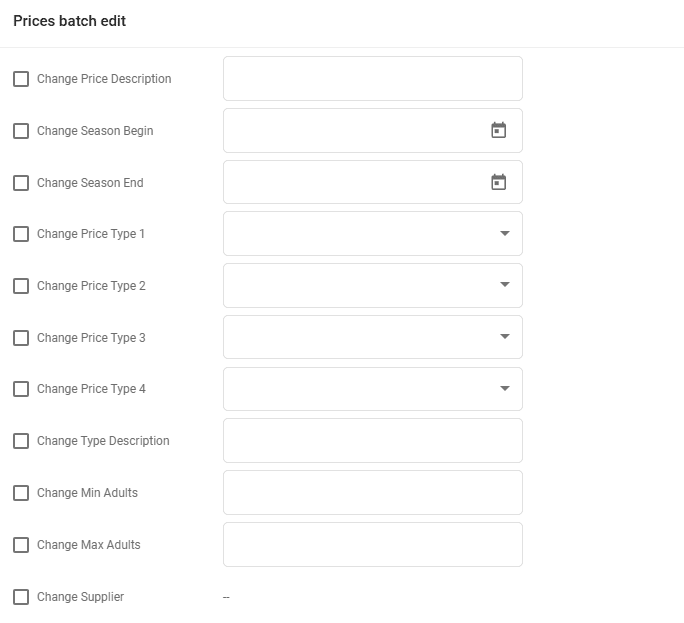
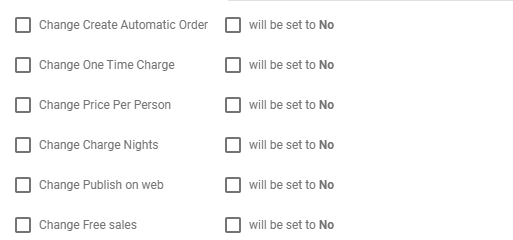
The modifications that can be made during a Batch Edit for prices include:
- Price Description
- Season Begin/End Dates
- Price Types
- Type Description
- Min/Max Adults
- Assigning a Supplier to Prices
- Price Remarks
- Source
- Source Name
- Order Text
- Enabling Automatic Order Creation
- Setting One-Time Charge
- Establishing Price Per Person
- Setting Charge Nights (a general setting in the Prices tab under Product Details)
- Setting Publish On Web
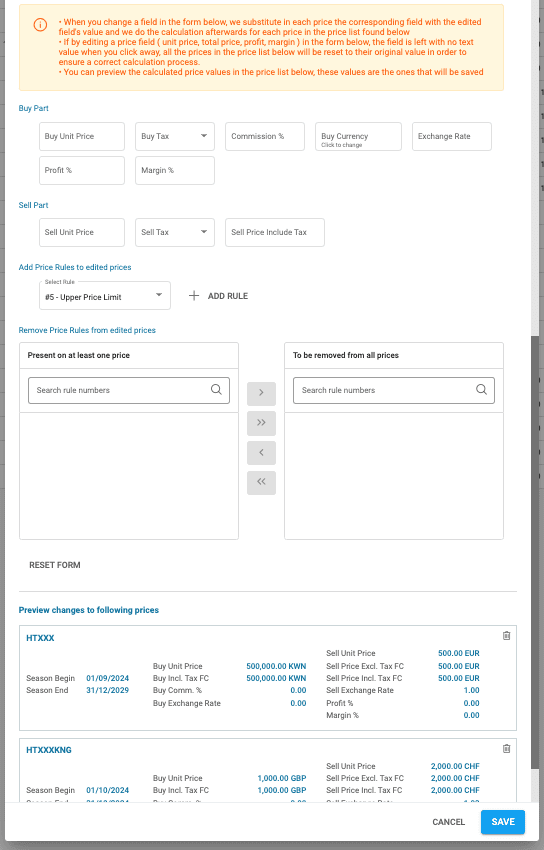
- Buy Part
- Buy Unit Price
- Buy Tax
- Commission %
- Buy Currency
- Buy Exchange Rate
- Profit %
- Margin %
- Sell Part
- Sell Unit Price
- Sell Tax
- Sell Price Include Tax
- Adding Price Rules
- Removing Price Rules
Below the settings section, the prices targeted for these changes are listed and can be previewed for verification purposes.
Previewing Changes and Removing Prices from Batch Edit
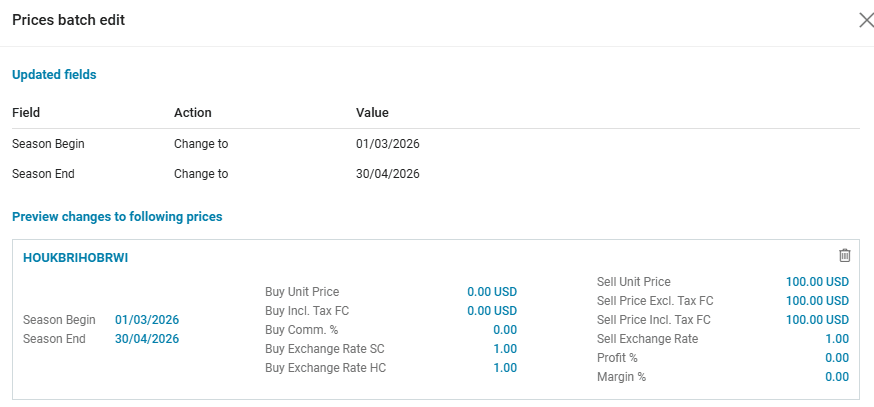
After making changes, the next step is to click on “Preview changes” for a list of all the applied changes. Every price will be displayed as well. A price can be removed by clicking on the trash icon in the upper right corner of the respective price’s box.