
Deals – How to Print A Travel Voucher
After a deal has been created, you have the option to print a voucher for it. The voucher displays information about products that have the option “Create Voucher” selected on the product level.
Creating a Voucher
This option is available from:
- The Deals list (select the deal and click on the edit sign)
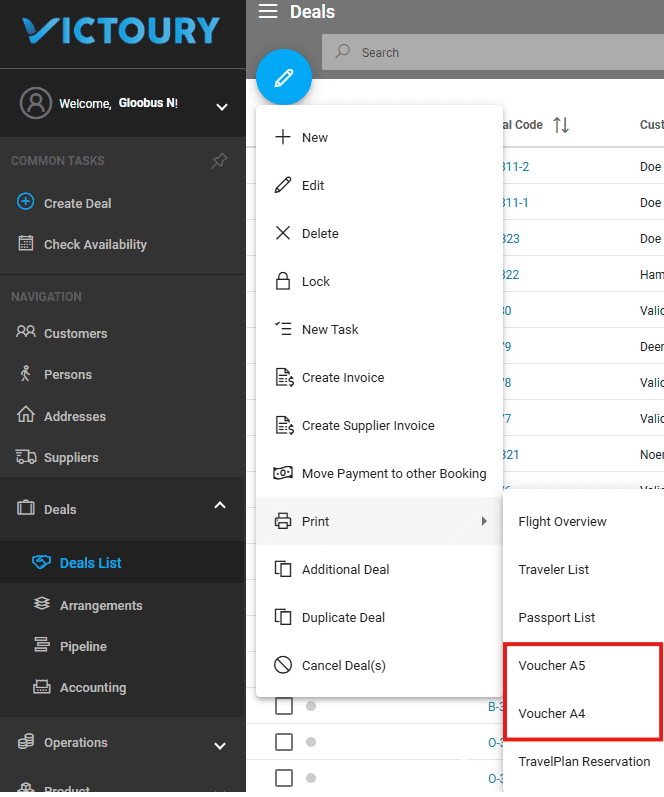
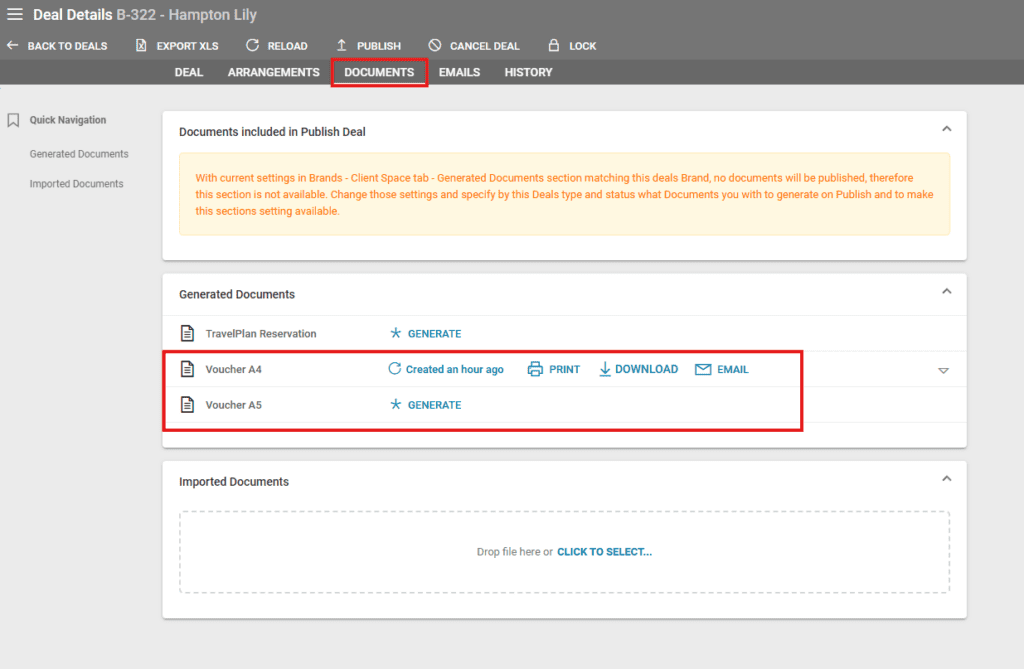
- Deal details in the Documents tab. The vouchers can be in A4 or A5 format.
Setting up Voucher Creation
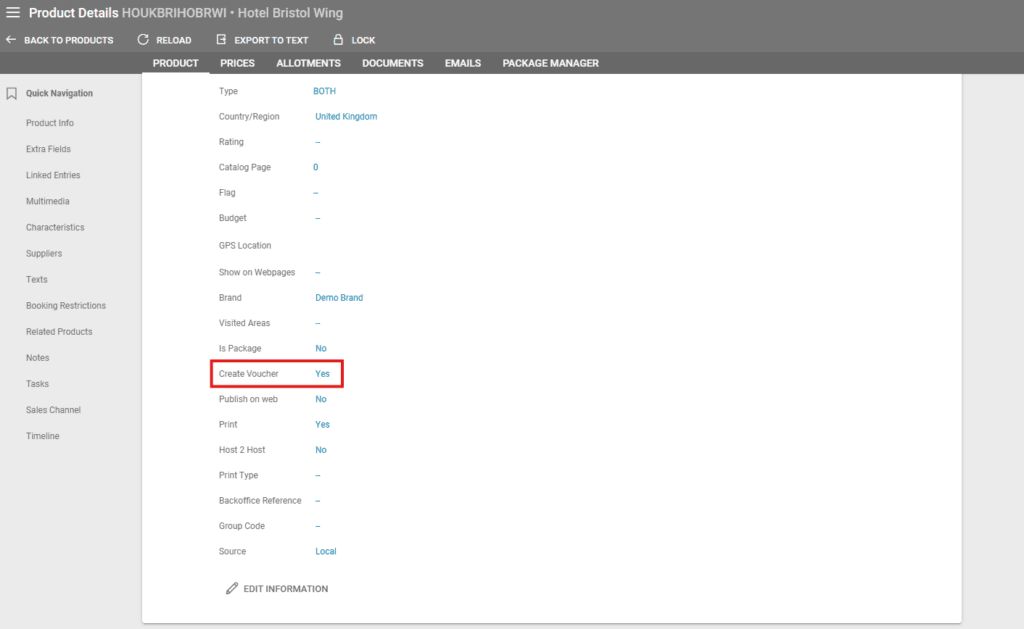
The creation process starts at the product level, so the first step is to set the Create Voucher option to Yes in Product details/Product Information.
All products with Create Voucher set to Yes will be displayed on the Voucher with an individual voucher for each.
The information on the voucher is printed in the preferred language of the supplier’s main contact. If no language is set for this contact,
English will be used by default.
If you haven’t set all details in the product in the product list, you can edit the corresponding arrangement in the deal after the product is booked.
Voucher Fields and Format
Please see the screenshot below for a description of each piece of information displayed on the voucher:

{Product_category} VOUCHER
{Company Logo as set in General Settings}
Our reference: {Booking_code}
Your reference: {Confirmation_Nr}
Party: {Main_traveller}
Date: {Print_Date}
EXCHANGE VOUCHER WITH: Supplier name
{Street name}, {House nr}, {House extension}, {Town}, {Postal code}
{Country}
{Telephone}
{Logo of the supplier}
PLEASE PROVIDE THE FOLLOWING PREPAID SERVICE(S):
Travellers | DOB (dd/mm/yyyy)
PRODUCT NAME: {Product Name} – from the product’s translated texts in the supplier’s preferred language, valid on the printing date, or the Product name.
SERVICE: {Voucher_Text} from the arrangement, or, if empty, the Reservation_text from the arrangement.
SERVICE TYPE: {PriceType1}, {PriceType2}, {PriceType3}, {PriceType4} – the price types as set for each price.
BEGIN DATE: {Arrangement Date Begin} – END DATE: {Arrangement Date End}
DAYS/NIGHTS: 9/8 (NIGHTS if charged nights is true)
EMBARK LOCATION: (only if specified in the arrangement)
DISEMBARK LOCATION: (only if specified in the arrangement)
REMARKS: (only if specified)
{Voucher_remark}
