Emails – Replying to Emails from Victoury
A complete email integration is available in Victoury that allows operators to import and send emails. For more information on these subjects, please check the following articles:
Replying to Emails
Once an email has been sent or imported, you can reply to it in Email Details.
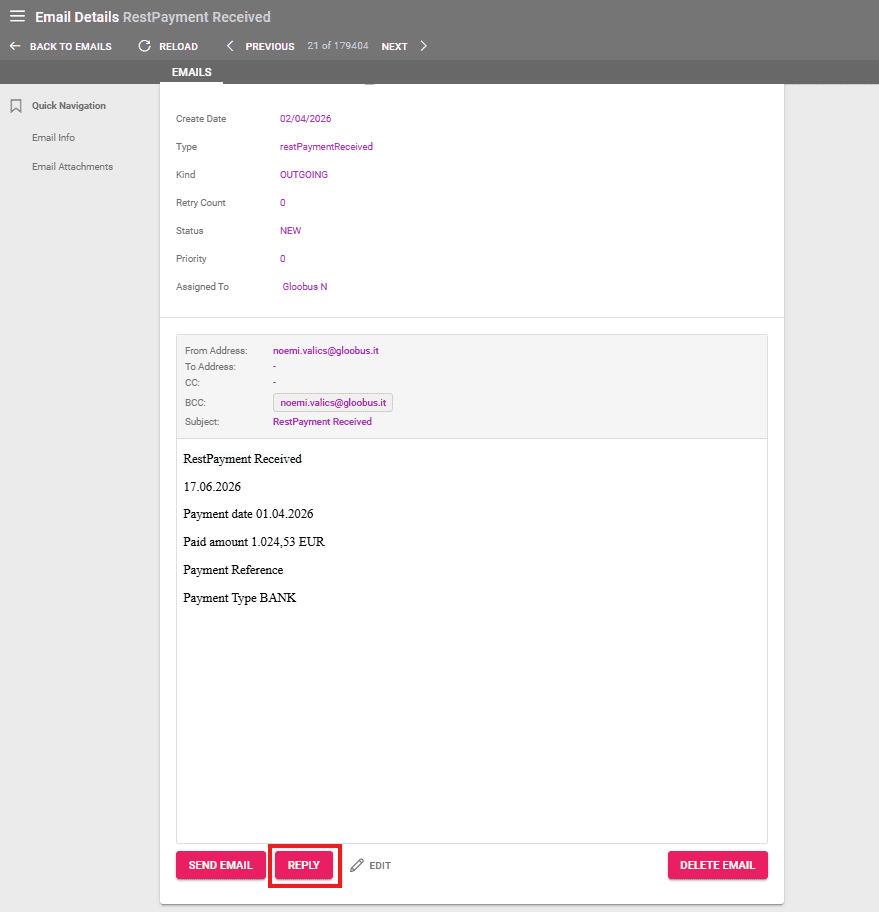
Clicking on the Reply button opens a window in which you can write a reply, add or remove recipients, and attach files.
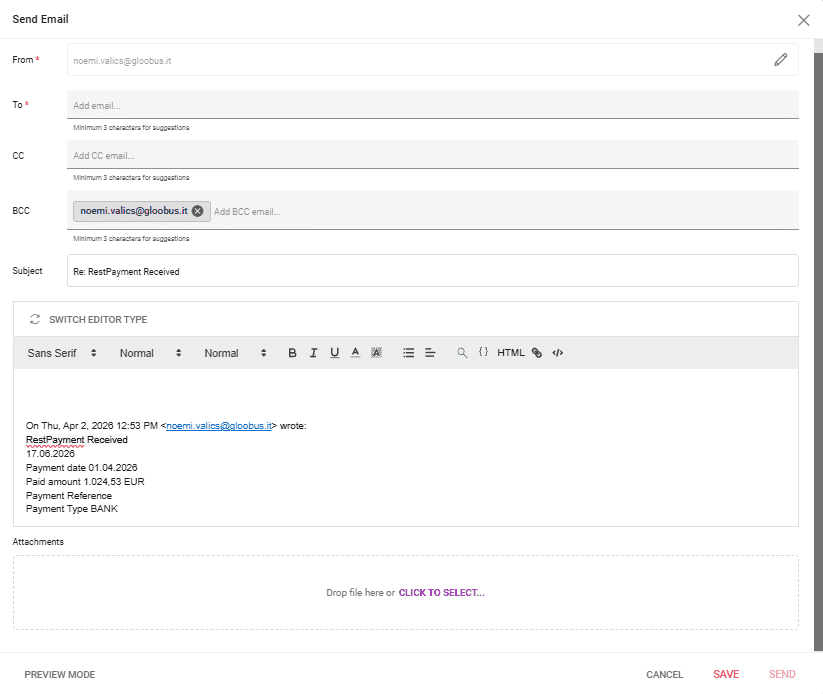
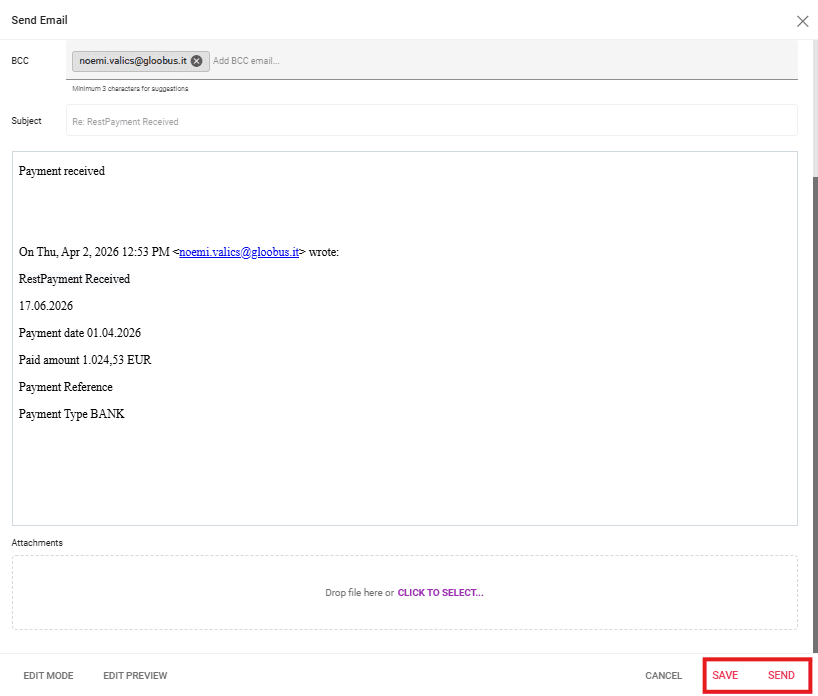
After filling out the necessary details, please click on “Preview Mode” to see how the email will look like, after which it can be saved or sent directly.
Viewing the Reply in Emails Listing
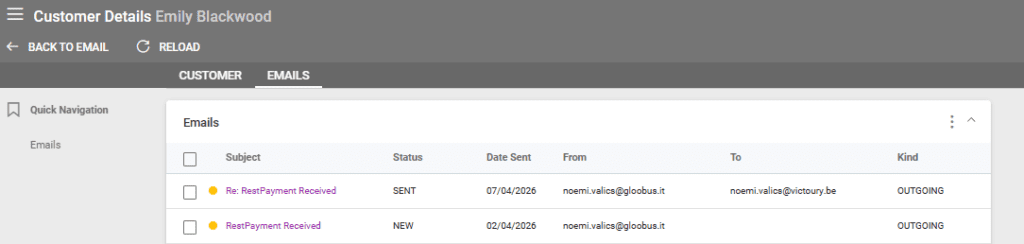
A new record is available in the Emails Listing for the reply.

Viewing the Reply in the Email Tab of Linked Entities
The replies sent are also visible in the respective linked entities. In this case, the email is linked to a customer and a deal, so it is available in customer details and deal details.