Deals – Change The Customer And Travelers
The Customers and Travelers of a deal can be changed in Victoury. This feature is particularly useful for instances where a Deal is duplicated to be sold to a different customer.
Duplicating a Deal
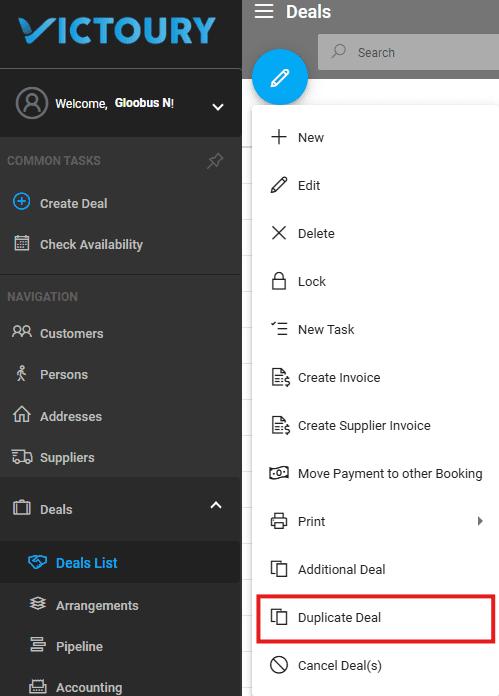
A deal can be duplicated by using the “Duplicate Deal” option from the edit dropdown menu.
Changing the Customer of a Deal
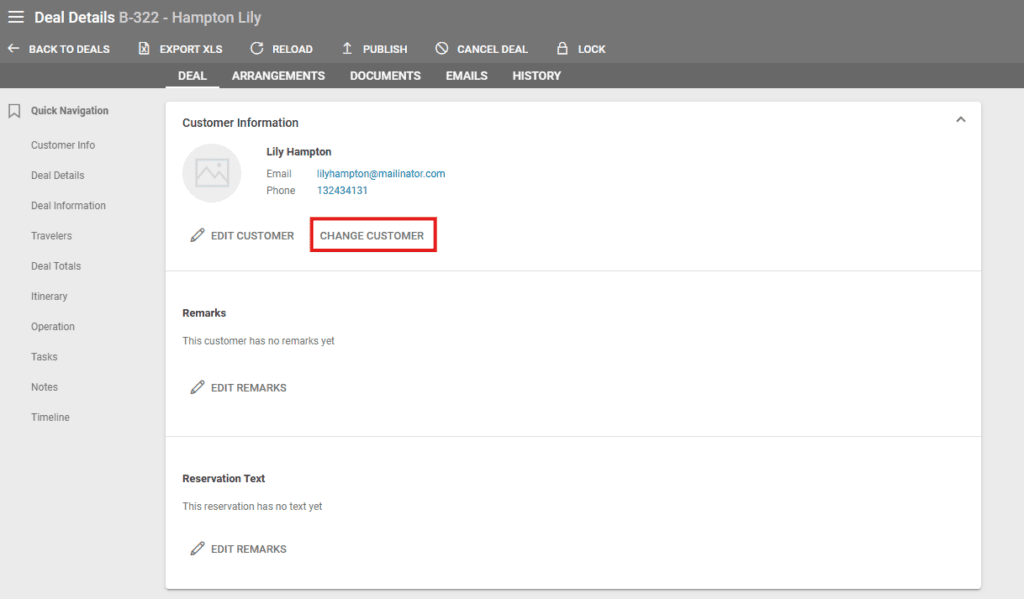
To change a Deal’s customer, please click on the “Change Customer” button in Deal Details.
Changing or Keeping Existing Travelers
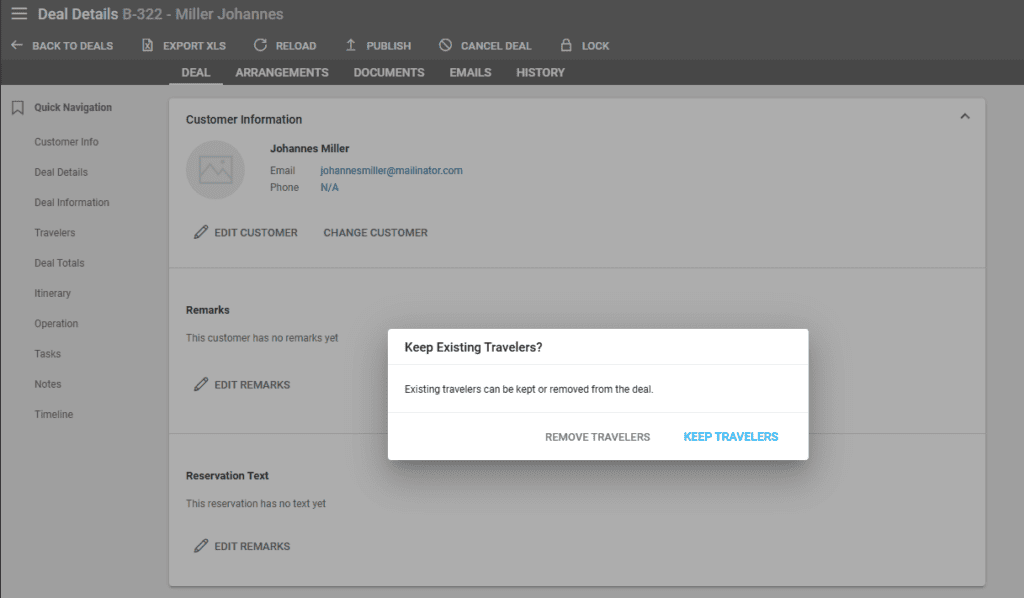
When this button is clicked, Victoury prompts you to decide if you want to maintain the existing travelers. Depending on your choice, the travelers can either be maintained or not.
If you click NO, the existing travelers in this Deal are maintained, and only the customer is changed.
If you click Yes, the customer is changed, and the new travelers are those related to this new customer. The new travelers will then be assigned to the existing arrangements.
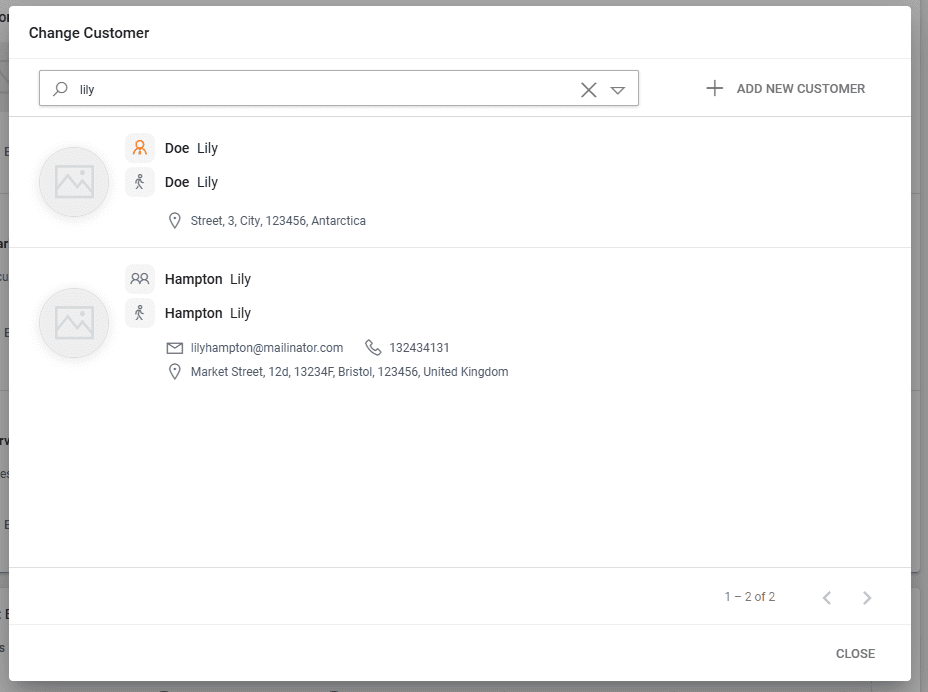
A window will appear in order to search for the new deal customer. Selecting a customer will display a traveler selection as well similar to the booking process.